
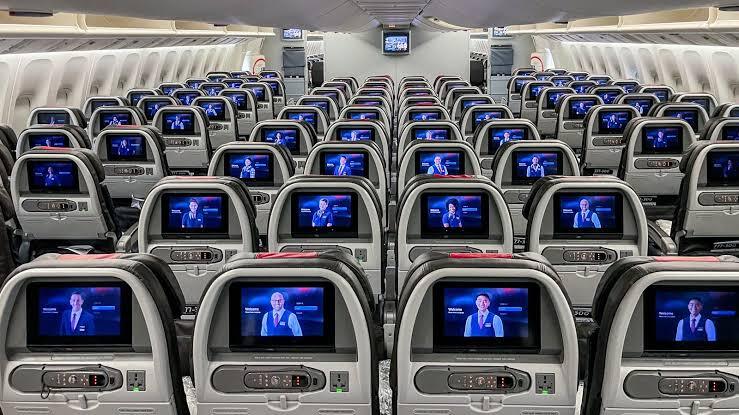
Is seat selection free on American Airlines? It essentially depends on the fare chosen when booking the flight. “Main Cabin” tickets and higher fare classes allow for free standard seat selection, whereas passengers traveling in “Basic Economy” must pay to select a seat in advance. If they do not, the airline assigns them a seat for free at check-in. Seats with extra legroom and preferred seats cost more, regardless of the fare.
| Fare | Standard seat | Preferred / extra-legroom seat |
| Basic Economy | Paid in advance, or free self-assignment at check-in | Paid |
| Main Cabin Free Paid (some free for elites) | Main Cabin Free Paid (some free for elites) | Main Cabin Free Paid (some free for elites) |
| Premium Economy | Included | Included |
| Business / First | Included | Included |
Important notes:
The “Basic Economy” fare is an exception. Seat selection incurs a fee for all passengers traveling on this fare, including AAdvantage members with elite status. Elite status members enjoy complimentary seat selection on “Main Cabin” (standard economy) fares.
Automatic seat assignment is not a penalty. If a passenger does not pay the extra fee, they will still be assigned a seat; they simply cannot choose their specific location.
How much does seat selection cost on an American Airlines flight?
Rates vary based on the route, aircraft, seat location, and flight load:
Seat selection in “Basic Economy”: starts at approximately $10 per flight, often reaching $40 to $55 (or more) on high-demand routes or long-haul flights.
“Preferred” seats (front of the cabin, prime locations): fee-based, with rates varying by route.
“Main Cabin Extra” (extra legroom): fee-based, except for eligible elite status members.
For connecting itineraries, passengers traveling in “Basic Economy” pay a fee per flight segment; a journey involving two flights therefore incurs two separate fees. Long-haul international flights are generally more expensive than short-haul domestic flights.
American Airlines seat types: which one should you choose?
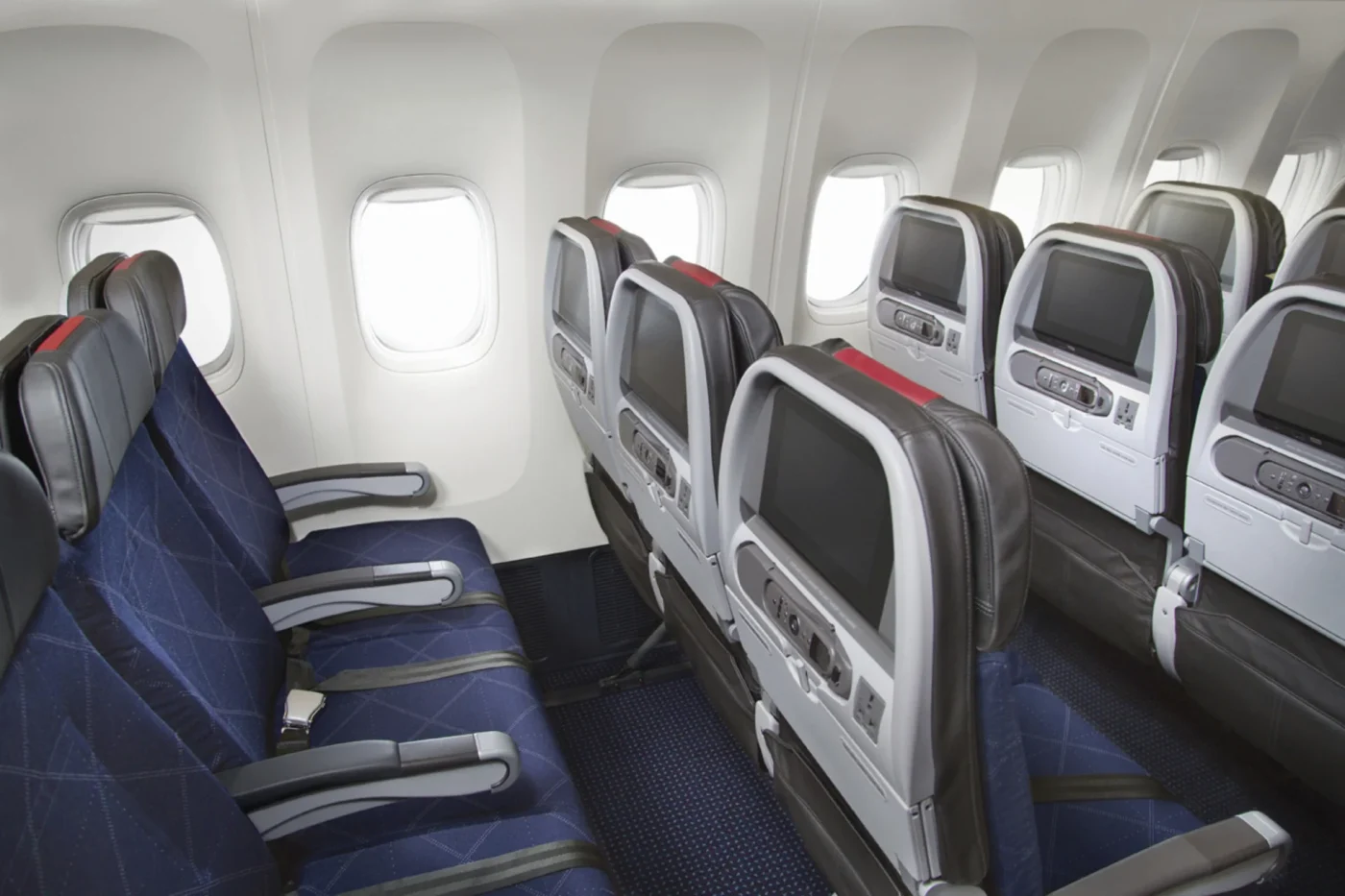
There is no doubt that your seat on the plane directly affects your comfort, how quickly you can disembark, and sometimes even your peace of mind. In American Airlines’ economy class, the airline distinguishes between four categories: Standard seats, Preferred seats, Main Cabin Extra, and exit row seats. The first three differ primarily based on their location in the cabin and associated perks, whereas Main Cabin Extra offers significantly more legroom. Exit row seats are appealing due to the extra space but come with strict requirements. Here is a comparison to help you make the right choice based on your budget and priorities.


|
Criteria |
Standard | Preferred | Main Cabin Extra |
Exit Row |
|
Legroom |
Standard Economy dimensions | Same as Standard | About 15 cm more (up to 17 cm depending on the aircraft) | Often very generous; varies by aircraft |
| Location | Often assigned at random or at the back of the cabin | Desirable areas: near the front, aisle or well-positioned window seat | Rows at the front of the economy cabin |
At emergency exits, in the middle or at the front |
|
Boarding |
Based on your usual boarding group | Based on your usual group | Priority boarding (usually group 5) | No automatic priority, unless based on status or specific ticket type |
| Seat selection | Free or paid depending on the fare (Basic Economy excluded) | Paid; price varies by flight | Paid; free for certain AAdvantage members |
Paid; subject to eligibility requirements |
|
Special conditions |
None | None | None | Adult passenger, able to assist in an emergency; no children or floor-level luggage |
| Ideal for | Small budgets, short trips | Travelers wanting a quick exit or to choose their seat | Larger passengers, long flights, extra comfort |
Tall travelers wanting more space |
|
Disadvantages |
Limited seat selection, often far from the exit | No real extra space | Higher surcharge |
Fixed armrests, tray table sometimes in the armrest, no under-seat storage |
How to choose a seat on American Airlines
When booking a flight: After entering passenger details, you will access the cabin map, where you can select your seat immediately.
After booking: Go to the “Manage Trip” section on aa.com or in the app, enter your booking reference (6 characters) and last name, then select “Seats.”
At check-in: Check-in opens 24 hours before departure. Passengers traveling on a “Basic Economy” fare who haven’t paid a surcharge are assigned a seat at this stage; however, it is often possible to choose from the remaining available seats.
By phone or at the airport: These options are available, but the app is faster and allows passengers to visually compare seats.
Keep in mind that each passenger on the same booking can select their own seat individually.
How to avoid paying for a seat on an American Airlines flight booking?
Book in “Main Cabin” if the price difference is small : A fare difference of $20–$30 per leg can work out cheaper than adding up seat fees and the cost associated with the lack of flexibility in “Basic Economy” fares.
Wait until check-in : Free seats often become available when other passengers change their plans; additionally, if the cabin is full, you might sometimes secure a better seat.
Check the cabin map again in the days leading up to departure.
Use benefits associated with AAdvantage elite status or a co-branded credit card, if applicable; however, remember that these benefits no longer cover seat selection for “Basic Economy” fares. Be flexible regarding passenger preferences: If the traveler doesn’t mind middle seats or those at the back of the plane, automatic seat assignment comes at no extra cost.
American Airlines flight operated by a partner: how to choose your seat?
If your ticket bears the AA code but the aircraft belongs to another partner airline, such as Iberia, British Airways, Qantas, Finnair, Japan Airlines, or a Oneworld alliance carrier, the operating airline controls the seat map, not American Airlines.
1. Identify the actual operating airline
Check your confirmation or the “My Trips” section on aa.com for the “Operated by…” note below the flight number. If another airline is listed, that airline controls the seat assignments.
2. Start with aa.com
For some partners, aa.com displays the seat map and allows you to select a seat directly from your booking. If the “Seats” button is active, this is the easiest method. If it is greyed out, missing, or redirects to an external link, proceed to the next step.
3. Visit the operating airline’s website
Go to the partner airline’s “Manage Booking” section and enter your surname and booking code. Note: the six-character AA code is sometimes not recognized. Look for a second code in your itinerary details on aa.com, often labeled “airline reference” or “partner booking code” and use that one. The ticket number (which starts with 001 for AA) can also be used to locate the booking on some sites.
4. If you still cannot select a seat
Not yet open: some partners do not open seat selection until check-in, sometimes 24 to 48 hours before departure.
Contact customer service: American Airlines or the partner airline can assist, but the partner airline has the final say regarding seat assignments. At the airport: seat assignment at the counter or kiosk is still an option, though with fewer choices.
5. Points to watch
Fees: rules regarding free seat selection vary by airline and fare type. A standard seat that is free on AA might incur a fee on a partner airline, and vice versa.
Loyalty benefits: AAdvantage privileges (such as preferred seats or free selection) do not always apply when flying with a partner. Be sure to provide your loyalty number to the partner airline.
Aircraft changes: a confirmed seat assignment may be changed if the airline switches the aircraft. Check again a few days before departure.
Check-in: this is generally handled by the operating airline, not AA.
Get the best seat the moment it opens up: A new feature on the American Airlines mobile app
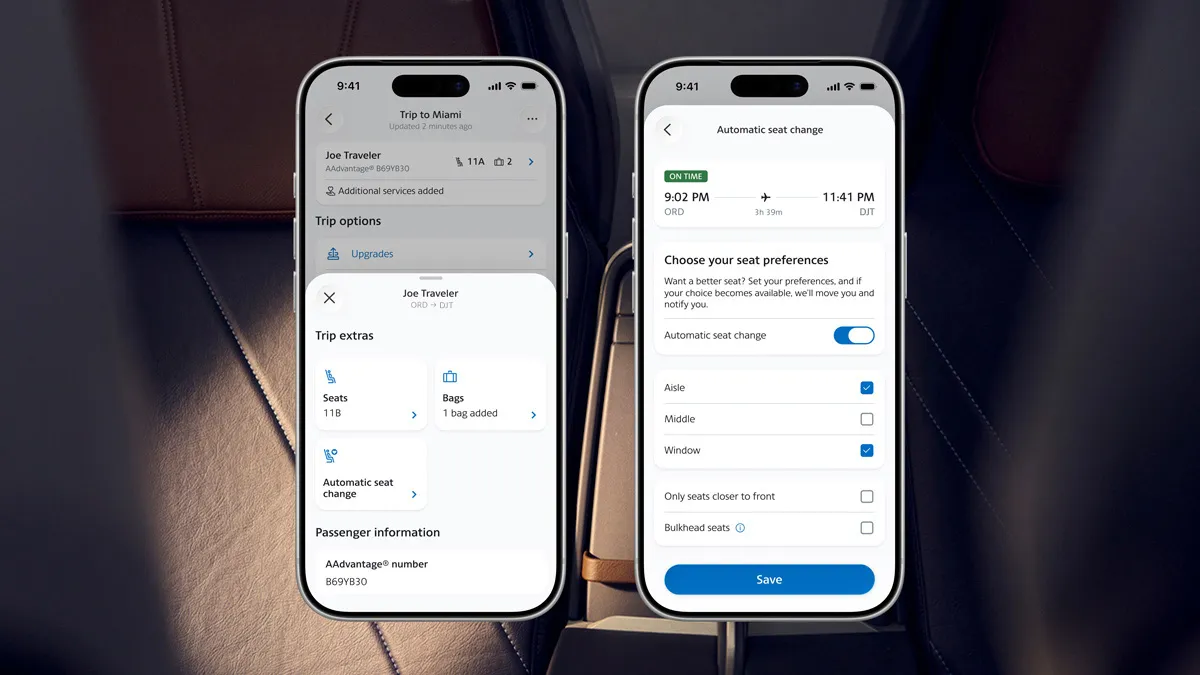
Who hasn’t checked the seat map multiple times a day before a flight, hoping an aisle seat would become available? American Airlines has decided to put an end to this chore with a new mobile app feature: a system that monitors seat availability for you.
How it works:
Once you’ve booked your American Airlines ticket, you specify the type of seat you want, window, aisle, or middle, or even a seat closer to the front or in a bulkhead row. You can find this setting under the “Trip options” section of the AA mobile app.
When a seat meeting your criteria becomes available, the airline automatically updates your reservation and notifies you.
Who is eligible?
Access is somewhat restricted:
You must be a member of the AAdvantage loyalty program.
The reservation must be for a single passenger who already has an assigned seat. In other words, the tool upgrades an existing seat assignment rather than creating a new one.
Who gets priority?
If multiple travelers are vying for the same type of seat, AAdvantage status level takes precedence, followed by the order in which preferences were registered. Therefore, a customer without status should activate the option immediately upon booking.
Monitoring stops 24 hours before departure
The automated monitoring stops 24 hours before takeoff. It also stops for you once you have been moved to a new seat or if you manually select a seat yourself. There is a downside to this cutoff: some seats only become available in the final hours before the flight. It is worth noting that Main Cabin Extra seats – offered for free to certain members only at the last minute – might not be picked up by the tool. Checking the seat map the day before your flight is therefore still a good idea.
What the feature won’t do
There are numerous safeguards in place. The change takes place within the cabin you are already booked in, at no extra cost. A passenger in the Main Cabin will not be moved into a paid Main Cabin Extra seat. Exit-row seats are excluded from the system.
What are the best seats on American Airlines?
Ultimately, the best seat depends on the traveler’s priorities:
Seats with extra legroom: “Main Cabin Extra” rows and exit rows.
Seats in a quiet area allowing for a quick exit: Seats at the front of the cabin, where boarding and deplaning are fastest.
Ideal seats for sleeping: Window seats, away from galleys and lavatories, which are sources of foot traffic and light.
Seats offering more freedom of movement: Aisle seats for long-haul flights.
Ideal seats for families: Seats side-by-side in the same row. Booking early is crucial; families traveling in “Basic Economy” should factor these fees into their budget. Seats to watch out for: those in the last rows (often limited recline, proximity to lavatories) and those near a bulkhead (offering more legroom but no under-seat storage).
Seat configuration varies by aircraft type; therefore, always consult the cabin map for your specific flight rather than relying on general advice.
Traveling with a baby, as a family, in a group, or with specific needs
Traveling by air with children, a group of friends, or a person with reduced mobility requires a bit of advance planning.
Babies under 2 years old
A baby can travel on an adult’s lap without a dedicated seat, but must be declared at the time of booking. If you prefer to place the baby in an approved car seat, you will need to purchase a ticket for them.
Window seats are often recommended for car seats so as not to obstruct evacuation routes.
Emergency exit row seats are off-limits to children and adults accompanying babies.
Some seats with bulkhead-mounted bassinets are available on long-haul flights; request them when booking or by contacting customer service.
Tip: If adjacent seats are unavailable, arrive early for check-in and explain the situation to the check-in agent. Staff generally try to seat parents and young children together.
Group bookings
On a single booking: Passengers on the same reservation (PNR) are more likely to be seated together.
For ten or more people: American Airlines offers a dedicated group service, sometimes with more flexible conditions (such as a deposit, delayed submission of passenger names, or negotiated fares). Contact the group department directly rather than booking seats individually online.
After booking: Go to “Manage My Trip” to assign seats. Check the cabin map: rows near the galley or lavatories tend to be noisier.
Assistance and accessible seating
If you have reduced mobility, you must notify the airline in advance when booking your seat. Specify your requirements when booking or via the “Manage my trip” section, ideally at least 48 hours before departure:
– wheelchair (to the aircraft door, or on board if an aisle chair is required);
– priority boarding assistance;
– assistance for visual or hearing impairments;
– travel with an assistance dog (documentation required depending on the destination).
Please note:
– An aisle seat makes moving around easier and features a movable armrest in some rows.
– Bulkhead seats (front row) offer extra legroom, though the armrest may be fixed.
– Emergency exit row seats are reserved for passengers able to assist in an emergency; therefore, they are not suitable for all situations.
If you are traveling with a companion, they must be seated right next to you. Please clearly state this when requesting assistance.
Changing seats and refund eligibility
You’ve selected your seat with American Airlines, but then your plans change. Can you change your seat, and will you get your money back? It all depends on the seat type and the reason for the change.
Changing seats: free or paid?
Standard seats (free). After booking, you can generally change your seat at no extra cost, subject to availability. You can make changes via “My Trips” on aa.com or the app, or at the airport.
Paid seats (Preferred, Main Cabin Extra). You can change these too, but the amount already paid doesn’t always carry over. You won’t be refunded for a paid seat if you switch to a cheaper or free seat on the same flight. If you choose a more expensive seat, you only pay the difference in price.
Loyalty status. Certain AAdvantage members (Gold, Platinum, Executive Platinum) have free access to Preferred and Main Cabin Extra seats. Therefore, they do not have to pay for these seats.
Basic Economy tickets. An exception applies to Basic Economy tickets. Check your fare rules before booking, as seat selection is often limited or incurs a fee.
When is a refund possible?
Cancellation within the first 24 hours. If you cancel your booking within this timeframe, the cost of any paid seats selected at the time of booking is usually refunded along with the ticket.
Flight cancellation by the airline. If American cancels your flight, causes you to miss a connection, or denies you boarding, and cannot provide an equivalent seat on the next flight, you are entitled to a refund.
Schedule or aircraft changes. American strives to reassign you to the same seat or, failing that, a comparable seat. If your paid seat is no longer available and no equivalent alternative is offered, the amount paid must be refunded to you. Check your email after any flight change, as refunds are not always automatic.
Upgrades. If you paid for a premium seat or a higher class of service and are moved to a lower category without your consent, you can claim a refund for the price difference. A third-party site claims that this refund is automatic.
Requesting a refund online:
You can request a refund for a paid seat at aa.com.
Situations where you are not entitled to a seat refund:
Voluntary changes to a paid seat are non-refundable. This also applies if you change or cancel your flight yourself, or if you miss the flight. Another pitfall: when you change flights, “Main Cabin Extra” seat purchases do not automatically transfer to the new itinerary. Be sure to check your new booking; if the seat is missing, request a refund and purchase the desired seat again.
Our tips:
- Keep your receipts and screenshots of the purchased seat.
- After any change, verify that your paid seat is still listed on the reservation.
- Contact American promptly if you are moved to a different seat at the airport.
- Before purchasing a seat, ensure your flight schedule is firm, as the purchase is usually final.